How to Create Viral Sky Fall AI Videos with Cinematic Falling Effects | Complete AI Reels & Shorts Guide
Create Viral Sky Fall Videos Using AI: A Complete Cinematic Guide
In today’s fast-paced digital world, AI-generated cinematic videos are dominating social media platforms like Instagram Reels, YouTube Shorts, and TikTok. Among the most trending formats, Sky Fall AI videos stand out for their dramatic falling motion, realistic gravity effects, and smooth cinematic camera movement. These videos not only capture attention instantly but also significantly boost views, reach, and engagement.
This guide will walk you through how to create viral Sky Fall AI videos using simple AI tools and smart workflows—no advanced VFX skills required.
What Is a Sky Fall AI Video?
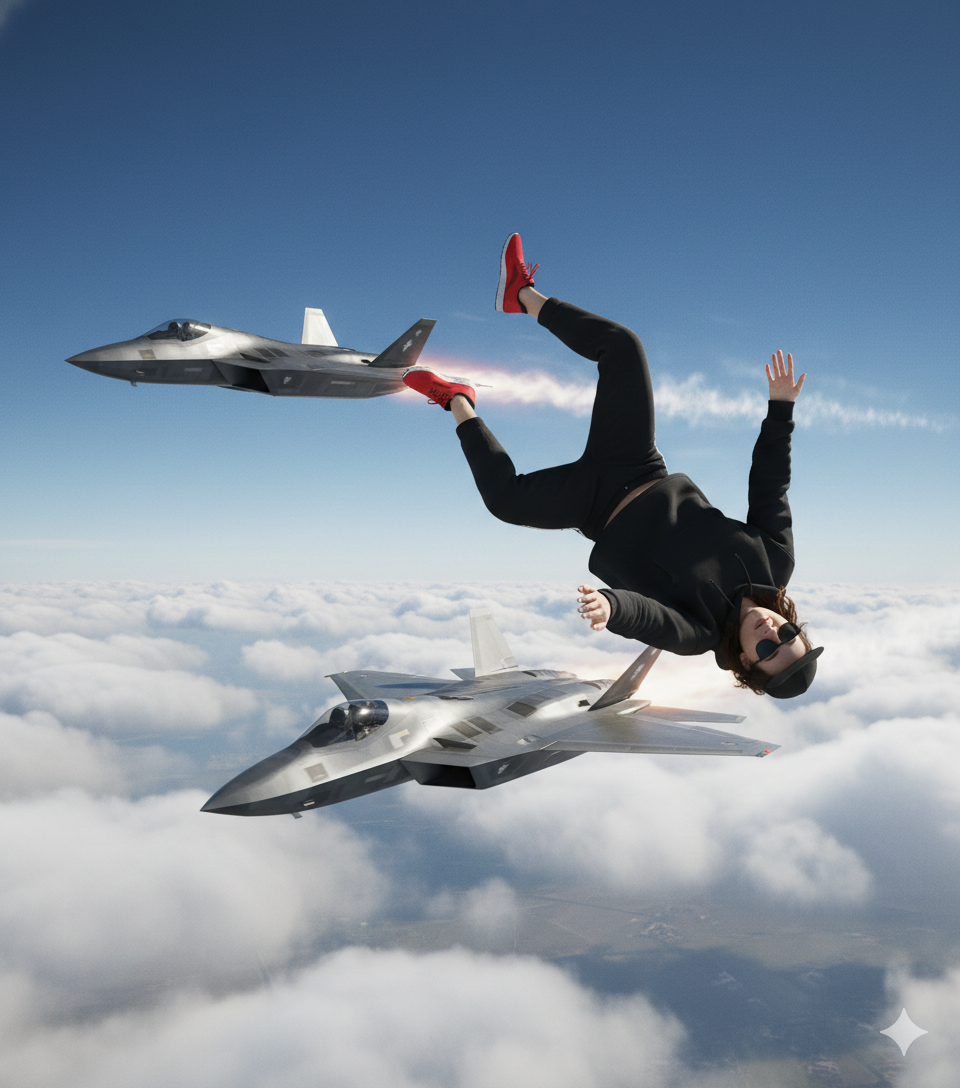
A Sky Fall AI video is a cinematic visual where a subject appears to fall from the sky with realistic physics, depth, motion blur, and gravity-based animation. AI tools handle the complex movement, making the result feel like a high-budget movie scene.
These videos work exceptionally well because:
- They trigger curiosity within the first 2 seconds
- They deliver cinematic realism without expensive equipment
- They are highly shareable and algorithm-friendly
Why Sky Fall AI Videos Go Viral
Sky fall content performs well because it combines visual drama and emotional impact. Platforms prioritize:
- High retention
- Smooth motion visuals
- Eye-catching transitions
AI-powered falling effects naturally meet these criteria, making them perfect for viral reels and shorts.
Essential Elements of a Cinematic Sky Fall AI Video
To create a professional and viral result, focus on these key components:
1. Realistic Gravity & Motion
AI tools simulate natural acceleration, wind resistance, and body movement, creating a believable falling effect.
2. Smooth Camera Movement
Dynamic camera angles, zoom-outs, and cinematic tracking shots add depth and realism.
3. Lighting & Atmosphere
Cloud layers, sunlight rays, motion blur, and shadows enhance cinematic quality.
4. Short-Form Optimization
Keep videos between 6–12 seconds to maximize watch time and looping behavior.
Simple AI Workflow for Sky Fall Videos
- Generate or upload your subject (image or AI character)
- Apply AI falling or cinematic motion effects
- Enhance with AI-based camera movement
- Add cinematic sound effects or trending music
- Export in vertical format (9:16) for reels & shorts
This workflow is beginner-friendly and scalable for consistent content creation.
Best Platforms for Sky Fall AI Content
- Instagram Reels – High engagement & discoverability
- YouTube Shorts – Excellent for long-term reach
- TikTok – Perfect for experimental cinematic visuals
Posting consistently with trending audio significantly increases viral potential.
SEO & Hashtag Optimization Tips
Use keyword-rich titles, descriptions, and hashtags such as:
- Sky fall AI video
- AI cinematic falling effect
- Viral AI reels
- AI video generation
- AI VFX shorts
This helps your content rank higher in search and recommendation feeds.
Prompts
How to Create the Images and Video?
First of all, you need to create images using prompt 1 and prompt 2 in Google Gemini
Second Create video using Prompt 3 in Google Flow
Final Thoughts
Sky Fall AI videos are more than just a trend—they represent the future of AI-powered cinematic storytelling. With realistic gravity motion, smooth camera effects, and easy-to-use AI tools, anyone can create professional-quality videos that captivate audiences and grow their digital presence.
If your goal is to boost views, go viral, and stand out, mastering Sky Fall AI videos is a powerful step forward.
You may love to read – Windows 11 to Introduce Background AI Agents with Access to Personal Folders, Security Alerts Highlighted